


GDPR · EU privacy
Working toward EU privacy requirements and stronger controls over user data.
Build, refactor and debug in a privacy-first AI editor.Choose your models. Review the changes. Keep control.
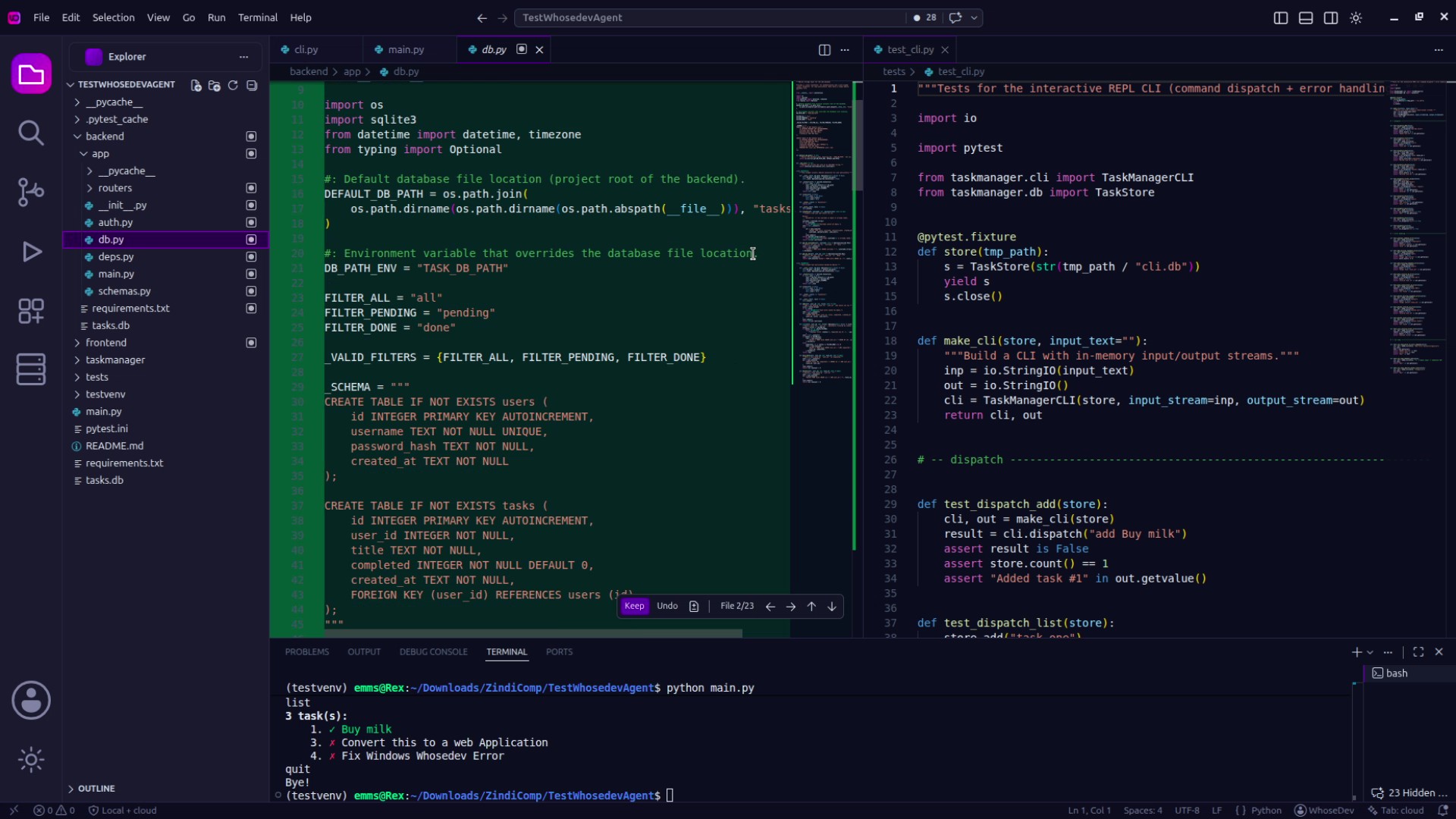
WhoseDev does not use your code or prompts to train AI models. Local AI stays on your machine. Cloud providers apply their own data policies.
Working toward EU privacy requirements and stronger controls over user data.
Building documented, organization-wide processes to protect user data.
Enterprise roadmap: safeguards for sensitive healthcare workflows and their deployment requirements.
Planned: greater transparency and controls supporting California privacy rights.
Developing security practices for availability, access management and organizational oversight.
Readiness goals, not claims of certification. Cloud providers apply their own data policies.
Want to know more about how we handle your data?Read our Privacy Policy
Build, refactor and debug in a privacy-first AI editor.Choose your models. Review the changes. Keep control.
Built around familiar tools
WhoseDev does not use your code or prompts to train AI models. Local AI stays on your machine. Cloud providers apply their own data policies.
Working toward EU privacy requirements and stronger controls over user data.
Building documented, organization-wide processes to protect user data.
Enterprise roadmap: safeguards for sensitive healthcare workflows and their deployment requirements.
Planned: greater transparency and controls supporting California privacy rights.
Developing security practices for availability, access management and organizational oversight.
Readiness goals, not claims of certification. Cloud providers apply their own data policies.
Want to know more about how we handle your data?Read our Privacy Policy
Built around your workflow.
Useful intelligence. Relevant project context.
The final decision stays with you.
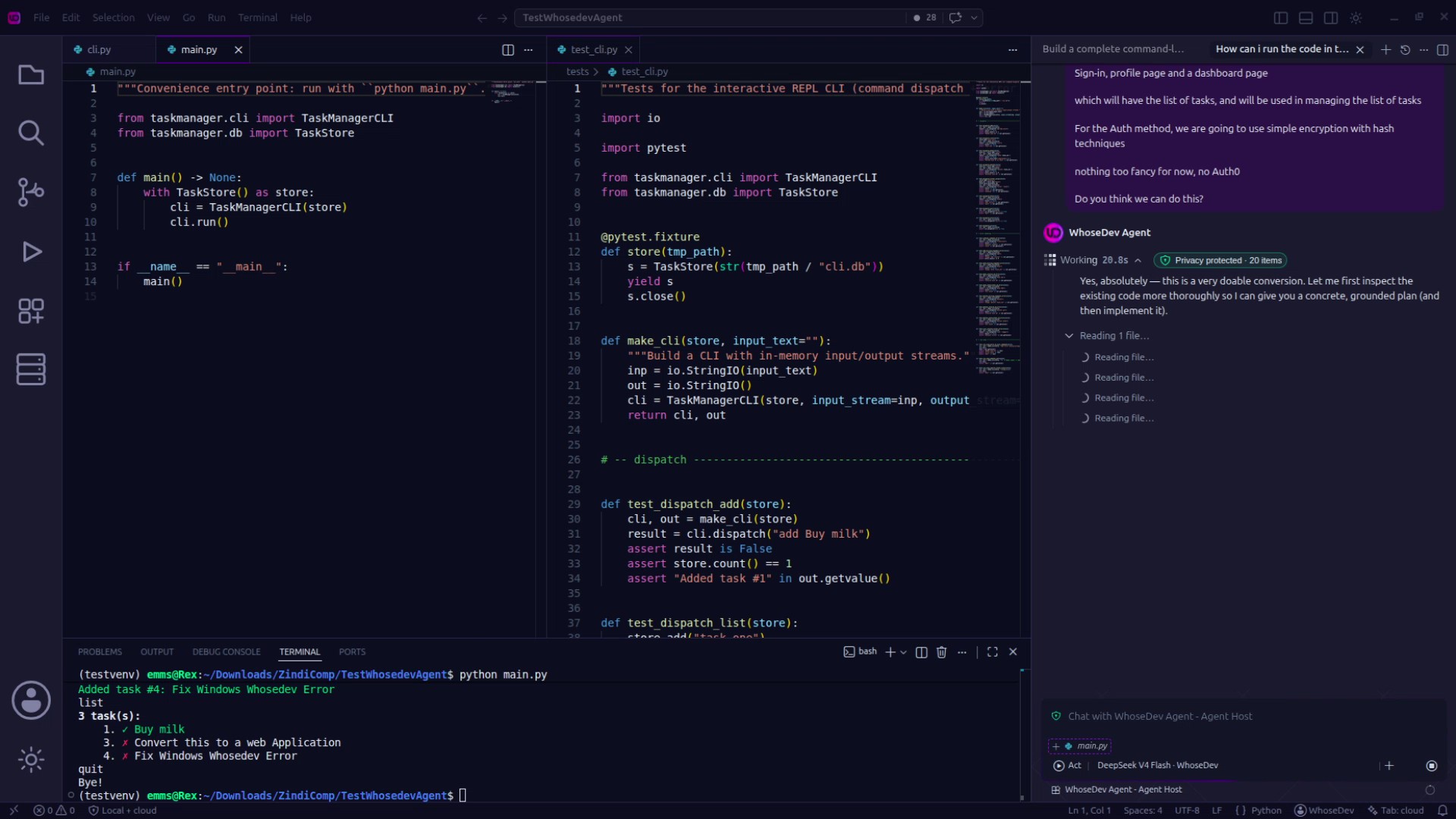
Choose where your AI runs. Understand what gets shared. Keep the important decisions in your hands.
Run compatible Ollama models on your machine, keeping supported local inference and its source context on your device.
Detected sensitive values are masked locally before cloud requests. Your selected provider receives the remaining context.
Choose your model, inspect the protection summary, and review proposed code changes before accepting them.
Set up Ollama, download a compatible model, and bring local AI into your WhoseDev workspace.
Offline use requires initial setup. Available features and performance depend on the model and your hardware.
When sensitive values are detected, WhoseDev masks them locally and shows a protection summary. The remaining context is sent to your selected cloud provider.
Build with a little more freedom.
Your next project starts in WhoseDev.
Free version available. Local models with Ollama.
From idea to implementation.
Plan, code and work through problems with AI alongside your project. Your judgment stays at the centre.
Explore approaches and break features into clear, manageable steps before you start building.
Generate, explain and refactor code alongside your project. Review the output before putting it to work.
Investigate errors with relevant project context and work through possible fixes with AI.
Inspect code and review differences so you understand what changed before deciding what to keep.
Work with your project files and Git workflow. Keep your code ready for the next commit.
Explore a prototype, develop a tool or work on your next SaaS idea in an AI-assisted workspace.
Start with the WhoseDev desktop editor. Extensions for the tools you already use are on the way.
 Available
Your editor, local AI agents, and optional cloud models in one dedicated workspace.
Download WhoseDev Coming soon
A planned WhoseDev extension for developers who want to keep building inside Visual Studio Code.
A planned integration to bring WhoseDev into the JetBrains development environment.
BUILT FOR THE WAY YOU CODE
From a Python script to your next TypeScript application, keep your work together in WhoseDev.
Source files, styles, scripts, and configuration. A familiar workspace for the different things you build.
A familiar development workflow, with AI alongside you. Open, build, review, and keep moving.

Bring your project into WhoseDev and keep your files close to the work.

Use a compatible local model or select a cloud model. Detected sensitive values are masked before cloud requests.

Inspect proposed edits, ask follow-up questions, and decide which changes to accept.

Continue in your workspace, commit with Git, or export your work when you are ready.
The workspace is personal. So is the way you build. Here’s a closer look at the developer experience.
Sample testimonials · Design preview“The local-first agent is a game changer. I can work on sensitive code without worrying about data leaving my machine. Finally an AI IDE that respects privacy.”
Before you get started.
A little clarity before your next project.
WhoseDev is a privacy-first AI code editor for building, refactoring and debugging software. It brings AI assistance into your development workspace while giving you control over your models and proposed code changes.
Yes. WhoseDev offers a free version. Visit the pricing page for current features, credit allowances and paid options.
WhoseDev brings multiple programming languages into one workspace, including TypeScript, JavaScript, Python, Java, C, C++, C#, Go, Rust, Ruby, PHP, Swift, Kotlin, Dart, Solidity, SQL, R, MATLAB, Julia, Fortran, Ada, Assembly, Bash and PowerShell, alongside HTML, CSS, JSON and YAML. These span web, mobile, data science, AI, embedded systems and aerospace or defense development. Language tooling and AI capabilities vary by installed extensions, selected model and configuration.
Supported local AI workflows can run offline after Ollama and a compatible model are installed. Downloads, authentication and cloud features may require an internet connection. Local model performance depends on your hardware.
Relevant request context is sent to your selected provider after detected sensitive values are masked locally. Local inference keeps prompts and source context on your device. Read the privacy policy for the full details.
You can work on shared repositories using Git and review AI-generated changes within your normal development process. Check the current plans and documentation for available team features.
THE TECHNOLOGY BEHIND WHOSEDEV
Frameworks, infrastructure and AI.
Part of the way we build.


Build with a private AI code editor and local AI agents. Choose local models or connect to the cloud, with more control over how you work.
Download WhoseDevA CONVERSATION STARTS HERE
A question about WhoseDev, a partnership, or a team rollout? Tell us what you have in mind.
ask@anotiai.comFound something we can improve?
Report a bug (opens in a new tab)


